
 socket.devarticle
GitHub Actions Adds cache-mode to Limit Cache Poisoning Risk
GitHub added cache-mode to Actions, a least-privilege control (read/write/write-only/none) that limits which workflows can restore or save entries in the shared Actions cache, targeting the cache poisoning technique used to compromise Ultralytics (PyPI) and the TanStack npm packages via a pull_request_target pwn request. Job-level settings override workflow-level ones, the mode propagates through reusable workflows, and GitHub warns when write access is granted to low-trust events; write-only was added after feedback from researcher Adnan Khan. The article notes build provenance (SLSA/Sigstore) doesn't catch a poisoned cache since it only attests to build origin, not input integrity, and recommends cache-mode: none for AI agent workflows exposed to prompt injection, referencing the Cline compromise.
What it is
cache-mode is a GitHub Actions setting that applies least-privilege access to the shared Actions cache, per workflow or per job. The summary names the four values; the page pins down their defaults and enforcement, and situates them against a baseline GitHub already shipped.
How it works
The four values and their defaults:
read— restores caches, blocks saves. Default for low-trust events such aspull_request_target.write— restores and saves. Default for trusted events such aspush.write-only— saves but blocks restores, so a trusted branch can populate a cache without ever restoring one (the case Adnan Khan pushed for).none— blocks all cache access.
The cache service itself enforces the mode. Job-level overrides workflow-level. The mode carries through reusable workflows so a called workflow cannot receive more cache access than its caller granted. Declaring write or write-only for a low-trust event reintroduces poisoning risk, so GitHub emits a warning annotation whenever a declared mode grants write access.
Preconditions / Affected
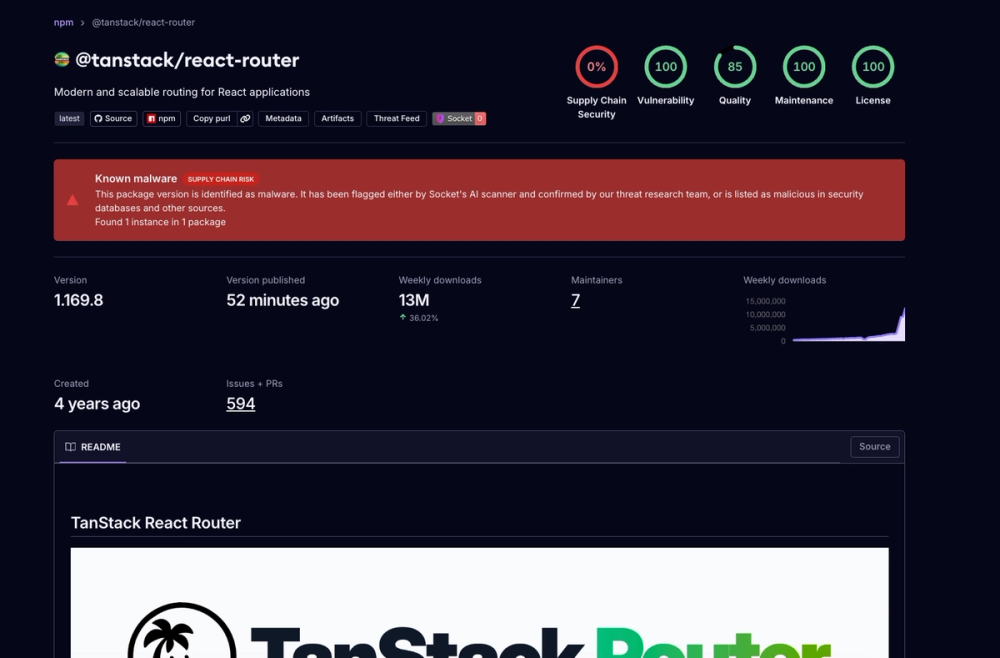
Cache poisoning matters when an attacker gains write access to a cache key a trusted workflow later restores — the entry runs with that workflow's permissions and secrets. In the TanStack attack (May 2026), chained with a pull_request_target pwn request, this yielded 84 malicious versions across 42 @tanstack/* packages. Build provenance does not catch this: SLSA/Sigstore attest that the build ran where and when declared, not that its cached inputs were untampered.
What to do
Grant each workflow or job only the cache access it needs. Set cache-mode: none for AI agent workflows that act on issue or PR text (the exposure behind the Cline compromise, where a prompt injection in a GitHub issue led to a suspected cache poisoning attack) — this removes the cache from that environment entirely.
Caveats
- This layers on defaults GitHub already shipped: read-only cache defaults for most untrusted triggers landed in June 2026, so workflows that never configured caching were already blocked from saving through those events.
cache-modeadds per-job control, thenoneoption, service-side enforcement, and the reusable-workflow cap on top. - It does not close other Actions risks. Workflows that check out untrusted code, run package lifecycle scripts, or mint OIDC tokens inside the runner remain exposed through the same paths as the TanStack attack.
Organisations named here
- Adnan Khan
- Cline compromise
- TanStack attack
Technologies named here
- cache-mode
- Ultralytics
- SLSA provenance
- @tanstack/* packages
- GitHub Actions
- Sigstore
- Cline
- npm
- PyPI
- tanstack
- SLSA
Techniques named here
- Cache poisoning
- Pwn Request
- Prompt Injection
Threat actors named here
- Cline compromise attacker
Related in DevSecOps

 jfrog.comarticle
JFrog: The Governance Gap Between Your Policy and Your Pipeline

 stepsecurity.ioarticle
Dev Machine Guard Now Supports Windows - StepSecurity
 socket.devwriteup
Socket: TanStack npm Packages Compromised
 securitylab.github.comadvisory