 huntress.comarticle
RMM Abuse: How Attackers Exploit Remote Access Tools | Huntress
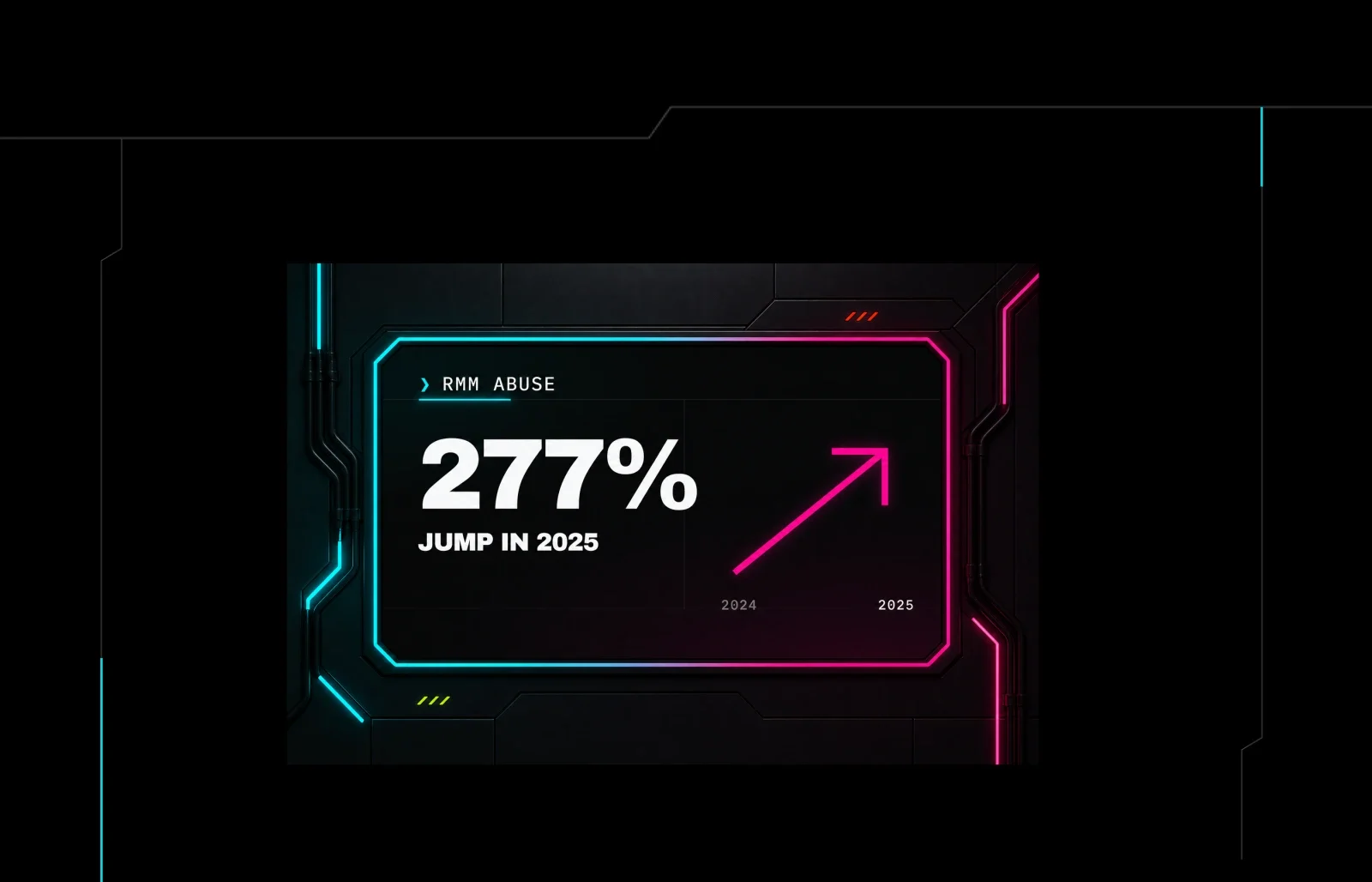
Huntress researchers describe how attackers increasingly abuse legitimate RMM tools like ScreenConnect and AnyDesk instead of custom malware, citing a 277% year-over-year rise in RMM abuse and its presence in nearly 40% of investigated incidents. The piece walks through a real case where a ScreenConnect lure sat dormant for five months before the attacker logged in to hijack a browser session and send spam, and describes how Huntress/AnyDesk staff used RMM access defensively to disrupt an India-based scam call center and a pig-butchering compound. It closes by pitching Huntress's RMM Guard, an app-control feature that inventories and blocks unauthorized RMM installs.
What it is
A Huntress/AnyDesk co-presented writeup on RMM abuse, where attackers use signed, vendor-hosted remote-access tools (ScreenConnect, AnyDesk) instead of custom malware. Beyond the case studies in the summary, it quantifies the trend and — more usefully — reframes detection as an inventory problem rather than a signature problem.
Why it matters (the numbers)
- Remote-access tool abuse rose 277% last year (Huntress 2026 Cyber Threat Report).
- Huntress's SOC Tactical Response team now sees this tactic in nearly 40% of investigated incidents.
Why signature/behavior detection fails
The attacker uses real software as designed, so every telemetry layer produces a legitimate-looking signal:
- Install — a rogue install runs the same installer and lands in the same path as an approved one.
- Process — an RMM launched from a browser or Outlook looks malicious until you recall your own IT emails quick-access support links all day.
- Network — rogue installs phone home to the vendor's infrastructure, identical to your sanctioned RMMs.
- Correlation — stacking low-fidelity signals gets closer but never fully answers the question.
The one question telemetry cannot answer on its own:
flowchart TD
  A[RMM detected on endpoint] --> B{Is it on the<br/>authorized inventory?}
  B -->|Yes: known tool +<br/>expected endpoint| C[Legitimate IT/vendor work]
  B -->|No / not in inventory| D[Investigate]
  B -->|No inventory exists| E[Every RMM starts as<br/>an unanswerable question]
What to do
The stated defensive posture is curated trust: maintain a current, authoritative inventory of which RMM tools belong in your environment, which endpoints should run them, and treat anything outside that list as worth a closer look. Without that baseline, each investigation begins by trying to prove whether legitimate software is doing legitimate work. (No commands or detections are given; the page previews Huntress's RMM Guard as the productized version of this.)
Social-engineering angle worth flagging
Delivery is usually social, not technical: convincing a finance user that "IT needs to remote in" is cheaper than a zero-day. Lures are chosen to feel personal, embarrassing, or too-good-to-be-true so victims won't loop in IT — one example was a fake Pepsi recruiter shipping a cracked RMM disguised as a meeting app. A rogue ScreenConnect install in the case study was clicked in February and not used by the attacker until July — dwell of ~5 months before any activity.
Caveats
This is a live-event recap that culminates in a product pitch (RMM Guard); it offers no detection rules, IOCs, or commands. The disruption case studies (Kolkata call centers, pig-butchering compound) are AnyDesk fraud-team operations, not reproducible guidance for defenders.
Technologies named here
Techniques named here
- RMM abuse / living-off-trusted-tools
- Social engineering to deliver RMM
- Dormant access / delayed activation
- Account/browser hijack via RMM access
Threat actors named here
- Rogue ScreenConnect installer attacker
- India-based scam call center
- Kolkata call centers
- Pig-butchering compound operation
- Fake Pepsi recruiter
Related in Threat Intel
 huntress.comwriteup
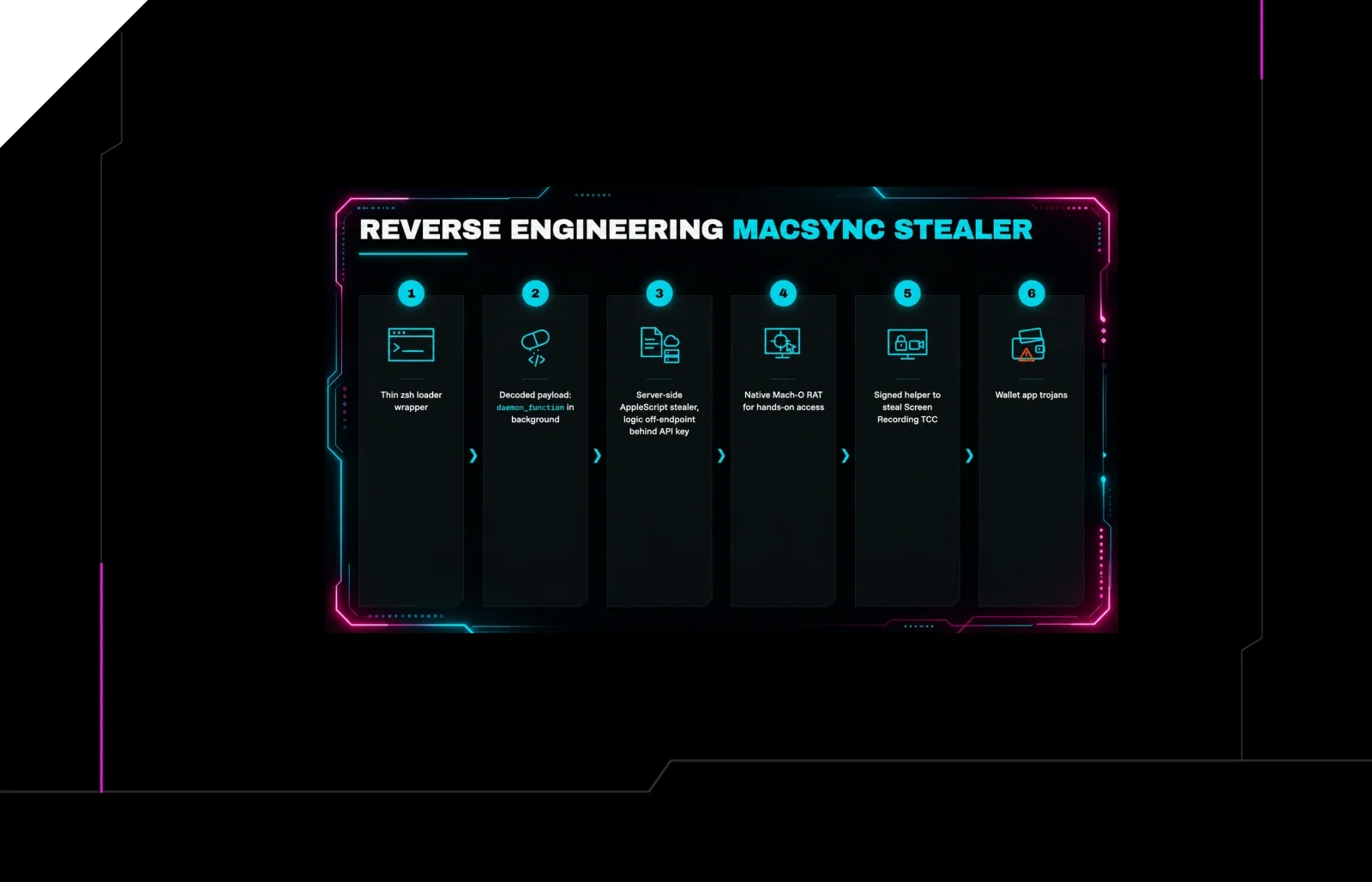
Reverse Engineering the Six Stages of MacSync Stealer and RAT
 huntress.comwriteup
AI-Coded Malware | Analyzing Vibe-Coded AD Enumeration | Huntress

 blog.talosintelligence.comtool
Introducing CAIRN: Frontier tracking for AI-integrated malware (Cisco Talos)
 huntress.comwriteup