 stepsecurity.ioarticle
OpenCode Security Breach: Distillation Attack Hit Console Users With Linked AI Providers. How to Find OpenCode on Developer Machines and Respond
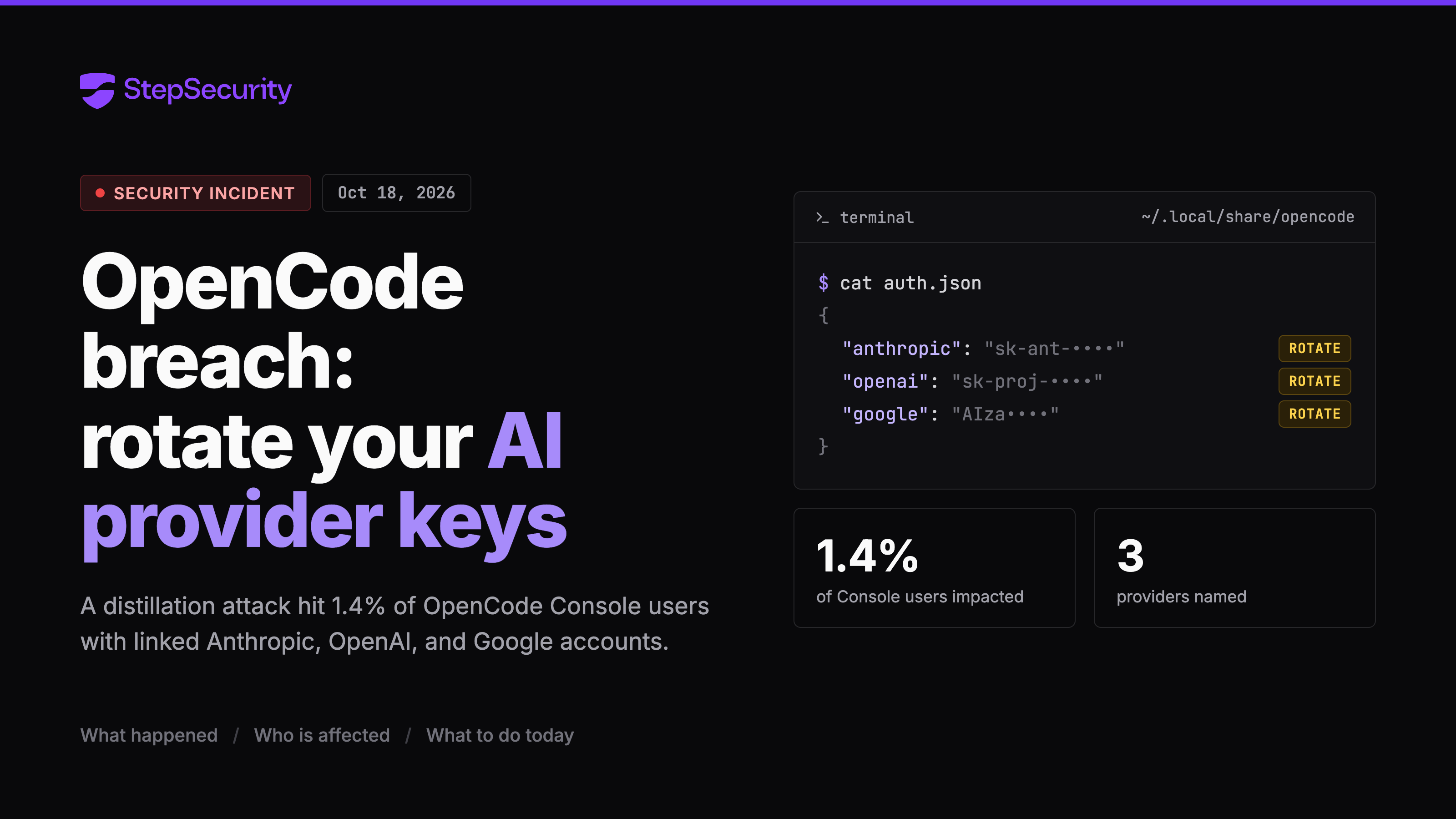
OpenCode disclosed a security breach on 18 October 2026 tied to a "large scale distillation attack" that hit 1.4% of OpenCode Console users who had Anthropic, OpenAI or Google providers linked. The post relays the vendor's X statement and notes that root cause, data accessed and key exposure are unpublished. It gives response steps: inventory OpenCode installs, read ~/.local/share/opencode/auth.json, rotate linked API keys, and review provider usage.
What it is
On 18 October 2026 OpenCode, the open source AI coding agent, said on X that a breach the previous night, tied to a "large scale distillation attack", affected 1.4% of OpenCode Console users. OpenCode says it is working with Anthropic, OpenAI and Google to remediate. The incident is ongoing. StepSecurity's post relays that statement and adds a way to find OpenCode on developer machines.
Preconditions / Affected
Only OpenCode Console users with external providers linked are in scope, not everyone with the CLI installed. OpenCode says it emailed every affected user on the morning of 18 October, and that no email means the user was not impacted. That is the vendor's claim, not something StepSecurity verified.
What to do
- Build a list of machines with OpenCode. In the StepSecurity console, Dev Machine Guard's Coding Tools page can be filtered with
https://app.stepsecurity.io/dev-machine-guard/your-org/coding-tools?search=opencode, replacingyour-orgwith your organization name. Expanding the OpenCode row shows users, devices and installed version, and the page can export a CSV. - Ask each listed developer to check for the OpenCode email.
- Ask them to list linked providers. Every provider in the file is a credential worth rotating.
cat ~/.local/share/opencode/auth.jsonOn Windows the file is at %USERPROFILE%\.local\share\opencode\auth.json.
- Rotate any Anthropic, OpenAI or Google API keys connected to OpenCode or the Console. Then check each provider's usage dashboard for requests the developer did not make.
Without a StepSecurity subscription, Dev Machine Guard is open source and can run as a one-time scan on a single machine, downloaded from its GitHub releases page. OpenCode appears in the "AI Agents and Tools" section of the output. Fleet-wide visibility needs the StepSecurity GitHub App (14-day free trial) plus deployment through your MDM with the installation script.
Caveats
The post says the vendor has not published a root cause, what data was accessed, whether provider keys were exposed, or what "distillation attack" means here. The stated risk is that exposed linked credentials would allow inference on the victim's provider account, showing up as unexpected spend and possibly access to data those keys reach.
Dev Machine Guard detects the OpenCode CLI binary, config directory and MCP server configuration on macOS, Windows and Linux. It cannot tell whether someone has a Console account or which providers they linked, so the developer follow-up is required. StepSecurity says it will update the post as OpenCode publishes more.
Technologies named here
- StepSecurity Dev Machine Guard
- OpenCode Console
- StepSecurity console Coding Tools page
- StepSecurity GitHub App
- OpenCode
- Anthropic
- OpenAI
- Dev Machine Guard
- StepSecurity
Techniques named here
Threat actors named here
Related in Threat Intel
 huntress.comwriteup
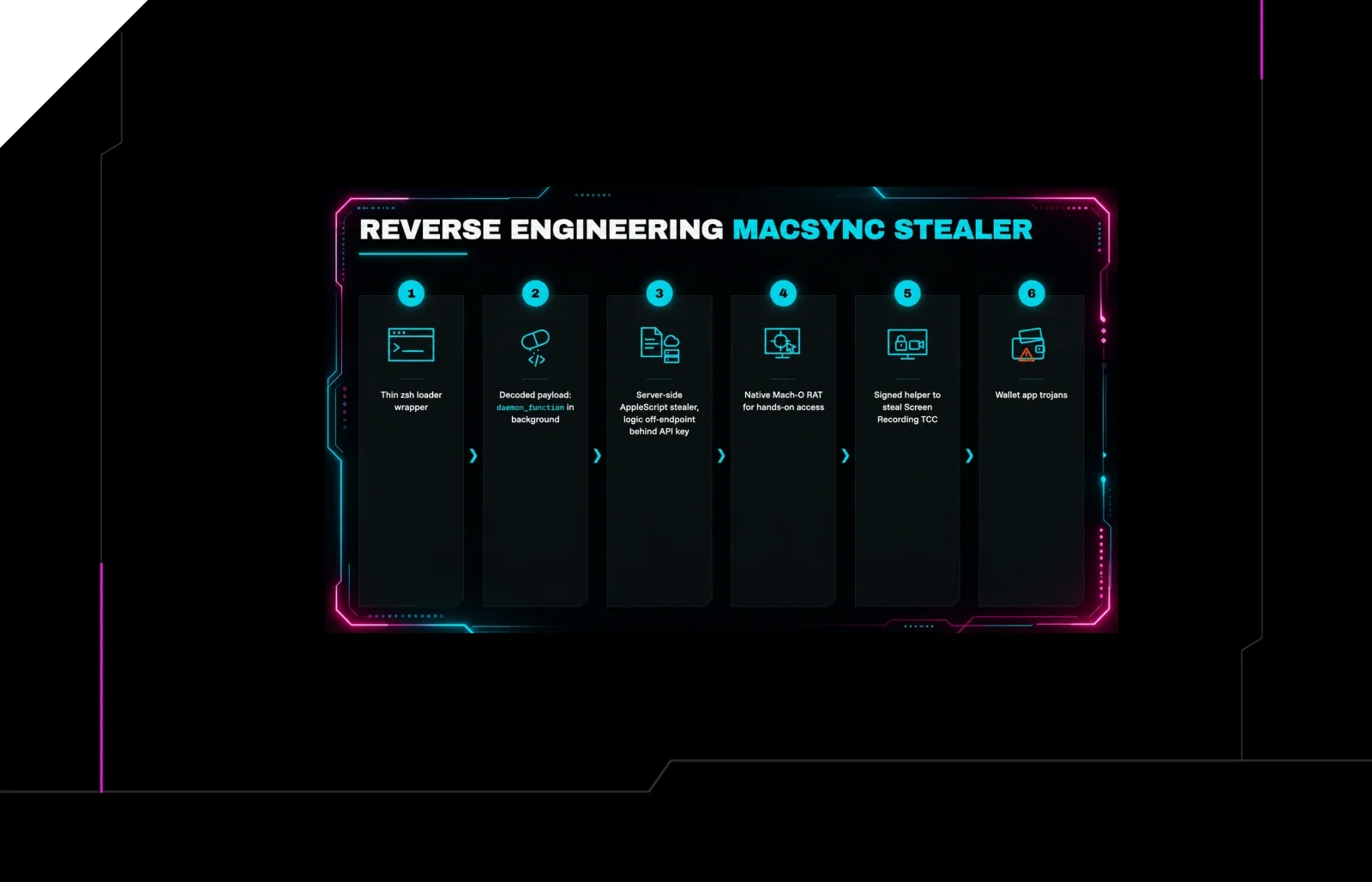
Reverse Engineering the Six Stages of MacSync Stealer and RAT
 huntress.comwriteup
AI-Coded Malware | Analyzing Vibe-Coded AD Enumeration | Huntress

 blog.talosintelligence.comtool
Introducing CAIRN: Frontier tracking for AI-integrated malware (Cisco Talos)
 huntress.comwriteup