 huntress.comwriteup
Daisy-Chaining Trust: Investigating Faronics Deploy Abuse | Huntress
Huntress details a phishing campaign that tricks victims into installing a legitimately signed Faronics Deploy agent disguised as Adobe/Zoom documents, enrolling endpoints into an attacker-controlled deployment console. The threat actors then abuse Faronics' remote script execution to pull PowerShell payloads (via curl, mshta, msiexec) from GitHub-hosted staging and install ScreenConnect for persistent remote access. The post identifies key forensic artifacts (C:\ProgramData\Faronics\Logs\ScriptRunner.log and the deployment's unique "ck" identifier) that defenders can use to trace attacker infrastructure and cluster malicious enrollments, and notes Faronics' response to disrupt abuse after Huntress's disclosure.
What it is
A Huntress investigation into a phishing campaign abusing Faronics Deploy, a legitimate signed endpoint-management platform, to enroll victim machines into an attacker-controlled deployment console and then push PowerShell that installs ScreenConnect. Over 457 endpoints encountered Faronics lures between July 21 and August 20, 2026; Huntress reported it August 5, and abuse dropped sharply after Faronics acted around August 21.
How it works
Phishing emails (tax docs, invoices, invitations) link to a page whose JavaScript fingerprints the visitor — User-Agent, platform, screen resolution, time zone, language, touch capability, colour depth — and POSTs it to fileportals.gytgtecg[.]xyz/index.php?verified=1. The backend cloaks: analysis environments get a benign Eastern Bank decoy, mobile devices are sent to denied.html, and only selected victims reach the malicious flow. That flow (Adobe/Zoom-themed) delivers a Faronics-signed installer named e.g. Adobe.exe, AdobeReader.exe, installed with admin privileges and enrolled into the attacker's Faronics deployment. The actor then remotely runs PowerShell — via curl, mshta, or msiexec — pulling next-stage scripts from GitHub, which install ScreenConnect for persistence.
What to do
Review C:\ProgramData\Faronics\Logs\, especially ScriptRunner.log, which preserves the remote script URL even after PowerShell history is gone:
[ 2026 10:53: 6] Entered GetScriptNameUsingURL URL=https://raw.githubusercontent[.]com/askaboutme121/Xusyahfd/refs/heads/main/Jhinstaller.ps1
[ 2026 10:53: 7] Leaving GetScriptNameUsingURL ScriptName=Jhinstaller.ps1
Hunt in that log for remotely executed scripts, external/GitHub payload URLs, ScreenConnect/RMM installation, and the ck identifier. The ck is a customer/deployment ID seen in enrollment traffic:
https://deploy.faronics[.]com/api/GetConfigSettings?ck=6D70CDEF-CFF4-48A7-8092-24E5B9C3FA1D&wid={00000000-0000-0000-0000-C45AB1DED776}&cnfid=1Because installer hashes change on repackaging, ck is the more durable pivot for clustering enrollments into the same malicious deployment. Response steps per the page: isolate the endpoint; identify the ck and check for other enrolled hosts; preserve ScriptRunner.log before removing software; hunt for secondary RMM (ScreenConnect) and its persistence; uninstall the rogue Faronics and RMM; review post-execution activity; rotate credentials if interactive access is indicated; report to [email protected].
Caveats
Faronics presence is not inherently malicious — the signal is an unexpected install followed by its deployment functionality executing attacker scripts. The GitHub-account pivot depends on the attacker reusing infrastructure, and the timeline decline reflects Faronics' account-registration countermeasures, not eradication.
Organisations named here
- ck identifier
- fileportals.gytgtecg[.]xyz
- ScriptRunner.log
Technologies named here
- Faronics Deploy
- ScreenConnect
- Windows endpoints
- PowerShell
- curl
- mshta
- msiexec
- GitHub
Techniques named here
- Phishing lures themed around business documents
- Browser/device fingerprinting for cloaking
- Visitor-based cloaking with decoy content
- Mobile device filtering/redirection
- Fake document/software download lure
- Trojanized legitimate signed installer
- Abuse of legitimate RMM/deployment software
- Daisy-chaining remote access tools
- Remote script execution via legitimate agent
Threat actors named here
- Unnamed threat actors abusing Faronics Deploy
Related in Threat Intel
 huntress.comwriteup
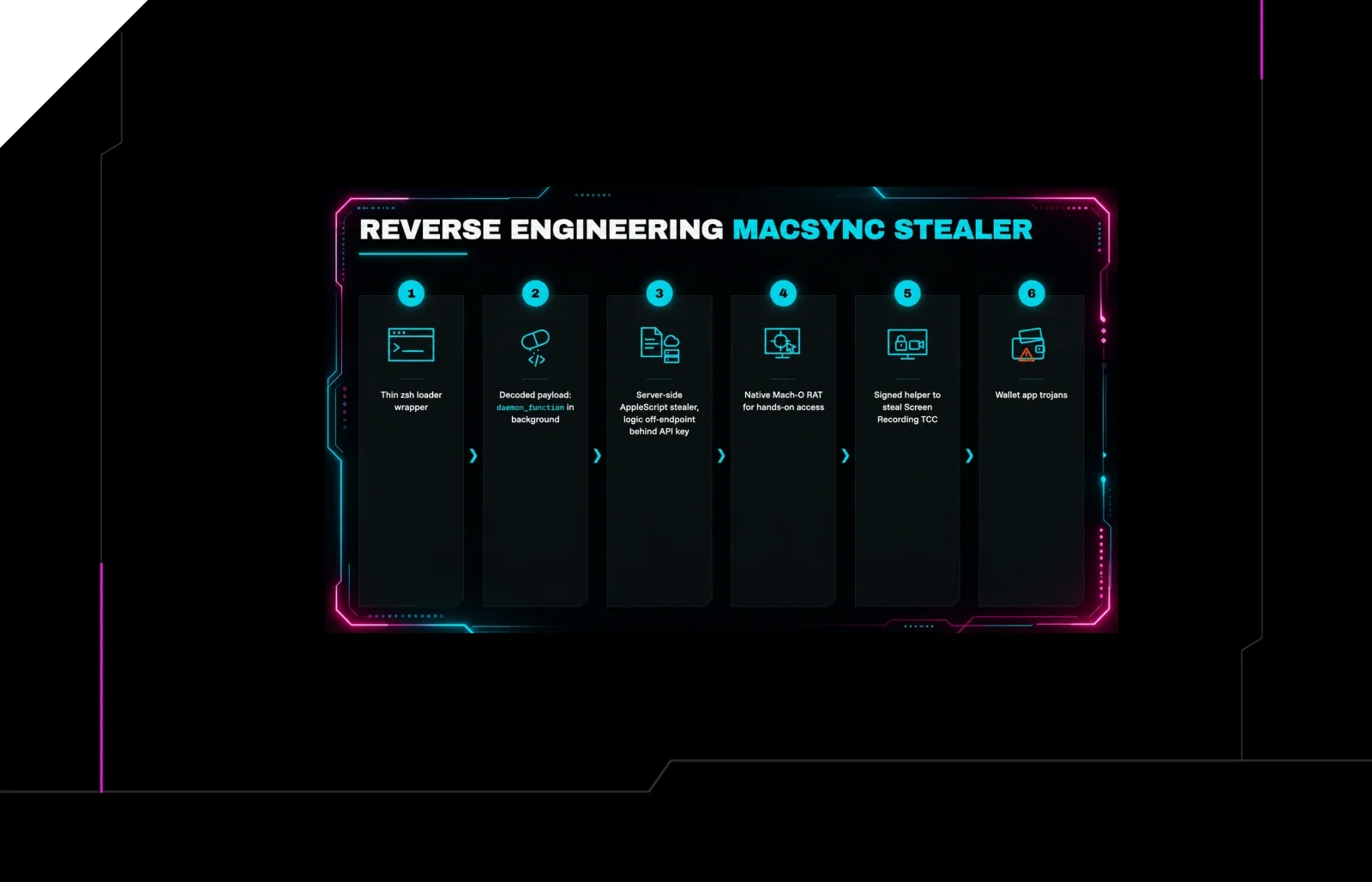
Reverse Engineering the Six Stages of MacSync Stealer and RAT
 huntress.comwriteup
AI-Coded Malware | Analyzing Vibe-Coded AD Enumeration | Huntress

 blog.talosintelligence.comtool
Introducing CAIRN: Frontier tracking for AI-integrated malware (Cisco Talos)
 huntress.comwriteup