 huntress.comarticle
Next-Gen Phishing Tactics Users Aren’t Ready For | Huntress
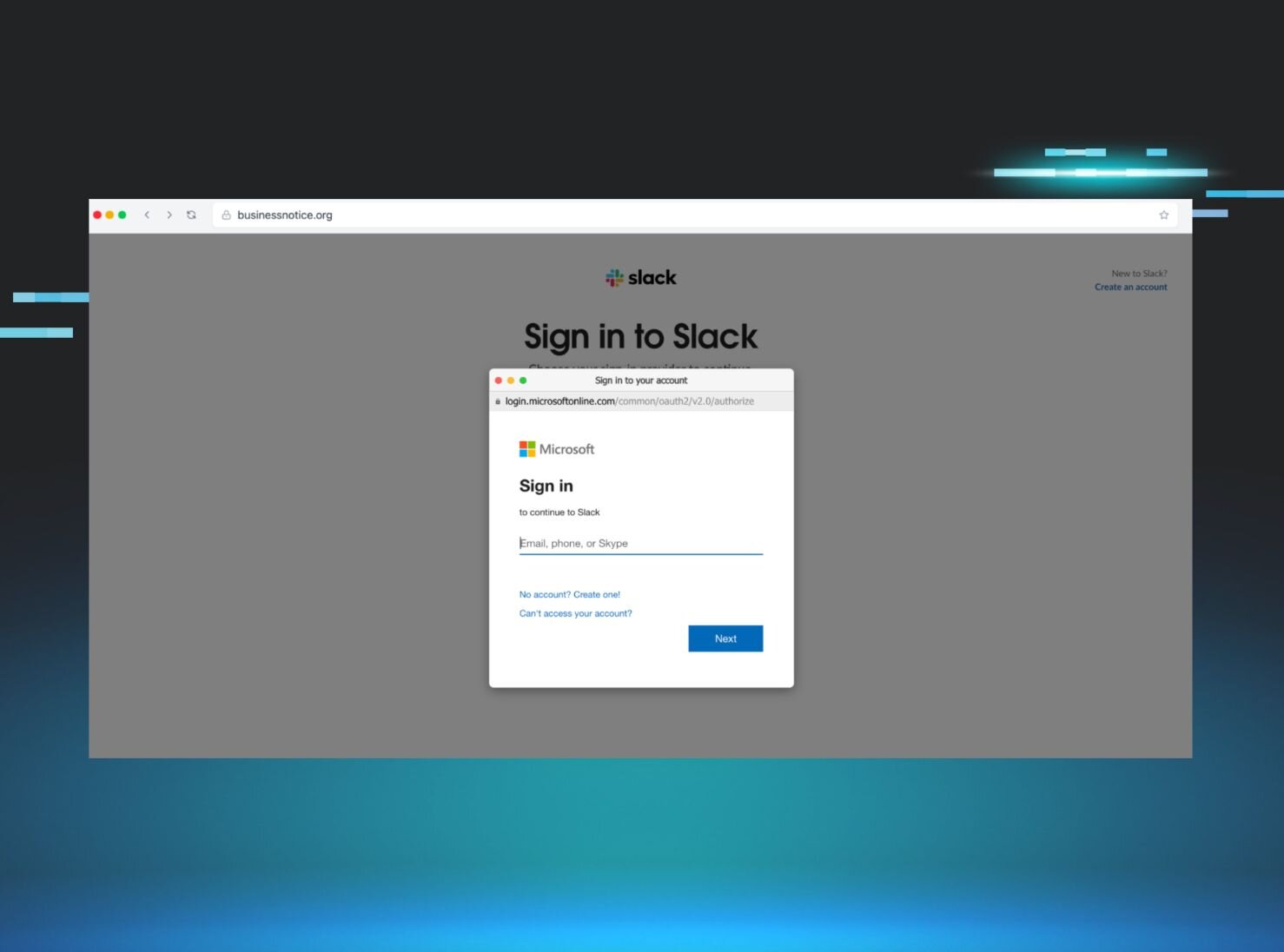
Huntress details five modern phishing techniques that bypass traditional "check the URL" training and MFA: ClickFix (fake CAPTCHA tricking users into running Win+R/paste commands to execute malware), Browser-in-the-Browser (fake HTML popup windows mimicking OAuth login prompts with forged address bars/padlocks), ConsentFix (dragging an identity icon to leak an OAuth authorization code that attackers trade for Microsoft Entra ID access/refresh tokens), device code phishing (abusing the legitimate microsoft.com/devicelogin flow to authorize an attacker's device via a code, seen weaponized in PhaaS kits like EvilTokens), and fake video-conference (Teams/Zoom/Google Meet) waiting-room overlays that push a malicious "driver update" install. Each section explains why the technique defeats standard security-awareness training and how Huntress's simulated phishing scenarios replicate it.
What it is
A Huntress blog promoting their Security Awareness Training simulation library, walking through three current phishing techniques: ClickFix, Browser-in-the-Browser (BitB), and OAuth consent phishing (ConsentFix, section truncated on the page). Beyond the mechanics the summary already covers, the page gives specific lure details and one concrete user-facing detection heuristic worth carrying.
How it works
Detail the summary omits:
- ClickFix exact sequence the victim is instructed to perform: Win + R, then Ctrl + V, then Enter — pasting a pre-loaded clipboard command into the Run dialog, triggering a GUI-less download (infostealers, RATs/RMM tools) with no
.exeprompt. The Huntress simulation uses a fake DocuSign "sign this document" email as the initial lure, leading to a fake CAPTCHA/verification overlay. - BitB renders a fake auth popup (Google/Microsoft/Slack SSO) as an HTML/CSS element with forged address bar and padlock, harvesting credentials and MFA tokens live.
What to do
The one actionable teaching point the summary lacks — a real detection for BitB:
A BitB popup is a rendered element inside the page canvas. Try to drag the popup window outside the main browser boundary — a genuine OS/browser window can leave the parent; a fake one cannot.
For ClickFix, the trainable reflex is: no legitimate CAPTCHA or verification ever asks you to press Win+R or paste into a terminal. Treat any such instruction as hostile.
Caveats
- This is a vendor product post; the "how we replicate it" passages describe Huntress's own simulations, not net-new attacker tradecraft, and end in calls to their SAT library.
- The ConsentFix / OAuth consent phishing section is cut off in the fetched text — only the premise ("ask for permanent access instead of stealing a password") is present, with no mechanics or mitigations. Do not rely on this page for that technique.
- The drag-outside-boundary test is presented as a training heuristic, not a guaranteed detection; a sufficiently constrained popup or full-screen overlay may not offer the user an obvious frame to drag.
Technologies named here
- Microsoft Entra ID
- Huntress Managed SAT
- Huntress Managed EDR
- Microsoft 365 / Microsoft cloud workspace
- Huntress ITDR
- Google login
- Huntress Managed Phishing
- Microsoft Teams
- Zoom
- Google Meet
- OAuth
- Microsoft 365
Techniques named here
- ClickFix
- Browser-in-the-browser
- OAuth consent phishing
- Device code phishing
- Fake video conference overlays
Threat actors named here
Also named here
- ConsentFix
Related in Offensive Security
 huntress.comwriteup
AI-Coded Malware | Analyzing Vibe-Coded AD Enumeration | Huntress
 github.comrepo
YesWeHack Claude Kit
 huntress.comwriteup
Inside an Oracle Database SQL Injection Attack | Huntress
 huntress.comwriteup