 huntress.comwriteup
Deceptive Installers: How Fake Apps Target macOS
Huntress breaks down the dominant macOS infostealer delivery method: weaponized .dmg disk images that mimic legitimate installers and use branded background images, filename tricks ("Drag to Terminal"), or fake "cracked software" framing to trick users into manually overriding Gatekeeper. It covers named stealer families (AMOS, Poseidon, Odyssey, MacSync) that skip persistence entirely and instead do smash-and-grab credential/cookie/crypto-wallet theft before exfiltrating to C2. The post also details Huntress's detection approach — monitoring Endpoint Security API "mount" events for virtual disk images, checking for hidden .background directories, running Apple Vision OCR against embedded instruction images, and fuzzy-matching suspicious filenames — to catch the attack before the payload ever executes.
What it is
Huntress's analysis of the delivery mechanism behind 2025's macOS infostealer wave (AMOS, Poseidon, Odyssey, MacSync). It focuses on why weaponized disk images have become the dominant vector and the specific artifacts each social-engineering variant leaves behind — detail the summary compresses.
How it works
Attackers strongly prefer .dmg disk images over .pkg packages: packages require formal developer signing, carry pre/post-install scripts and a bill of materials, and face rigid macOS scrutiny, so DMGs are the path of least resistance. A double-clicked DMG mounts as a virtual drive under /Volumes (alongside /Volumes/Macintosh HD), isolated from system files — a "speed bump" that collapses once the user is tricked into a manual Gatekeeper override. The stealer then does a smash-and-grab (passwords, cookies, tokens, crypto wallets → C2) with no persistence.
The page separates three override variants worth distinguishing for detection:
- Background-image instructions — a
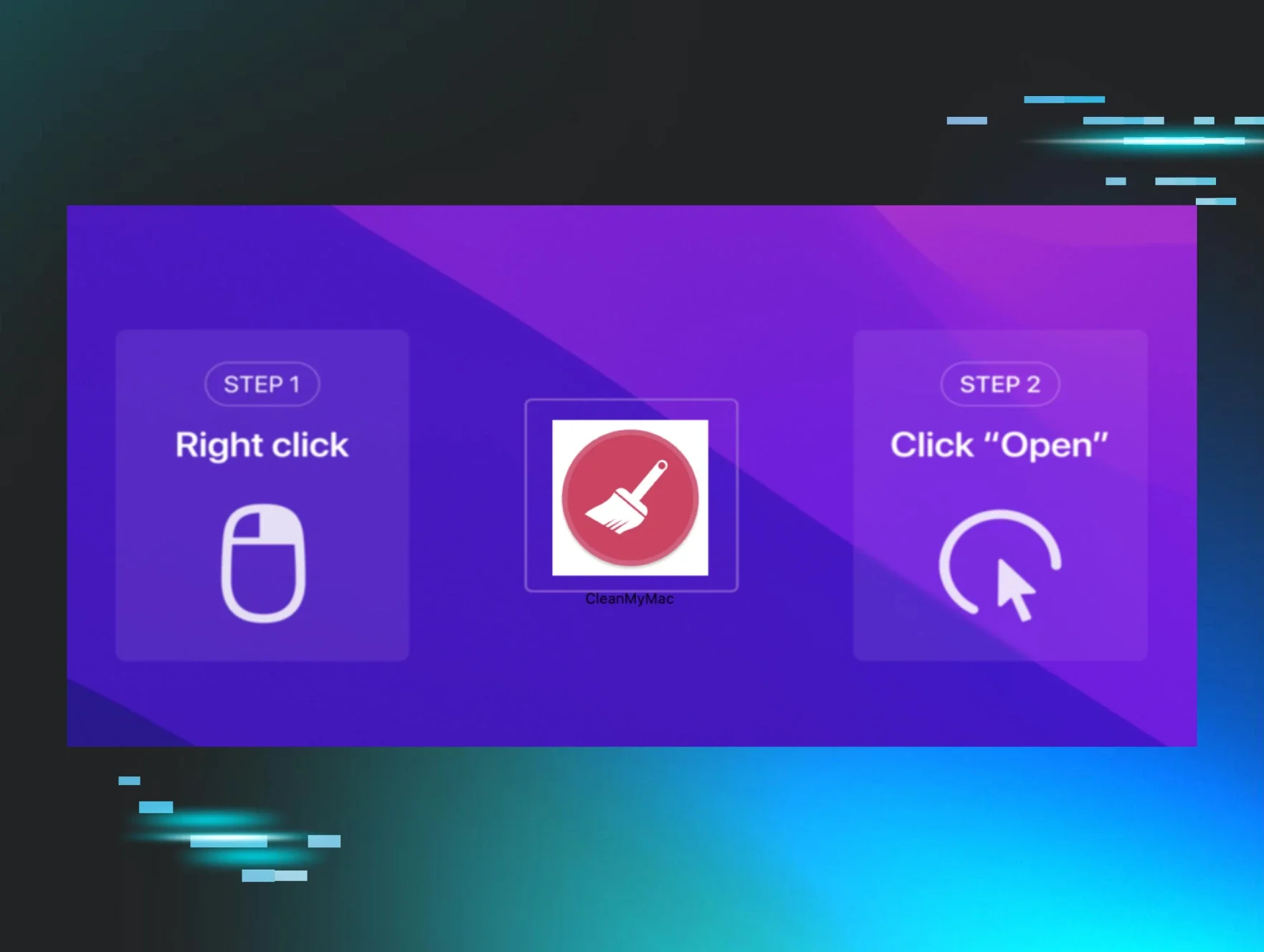
.backgroundfolder holds an image shown as the Finder window backdrop, guiding a right-click override. Most common pattern; also seen instructing "Drag to Terminal" (dragging populates the malware's absolute path, and Enter runs it). - Filename-encoded instructions — the bypass step is the filename itself, e.g.
Drag to Terminal, no image needed. - Cracked-software distribution — files marked "TNT" or "CRACKED" on piracy sites, with users told "cracked apps can't be notarized" to normalize the override.
Preconditions / Affected
Requires a user to download an unsigned/unnotarized DMG (via SEO-poisoned results, torrents, or cracked-software forums) and then manually override Gatekeeper. No code exploit is involved — the human is the target.
What to do
The page gives no commands or detection rules, but the named artifacts are huntable: DMGs mounted under /Volumes containing a .background folder, filenames like Drag to Terminal, and TNT/CRACKED-marked bundles.
Caveats
The post notes Apple has been hardening the Gatekeeper override — removing simple "Right-Click + Open" in favor of System Settings steps — so the exact social-engineering instructions shift over time; treat specific override wording as a moving target rather than a fixed signature.
Organisations named here
- Poseidon
Technologies named here
- macOS
- Huntress
- Gatekeeper
- Apple Disk Image
- Apple Endpoint Security API
- Apple Installer Package
- Fake Arc browser installer
- Apple Vision framework
- Apple TCC framework
- Fake Chrome Setup
Techniques named here
- SEO poisoning
- Compromised torrent/cracked software forum links
- Deceptive DMG installer social engineering
- Background image with bypass instructions
- Drag to Terminal
- Filename-encoded instructions
- Cracked software distribution
- Infostealer smash-and-grab
- AppleScript abuse
- Privilege escalation
- Keychain access
- Mount event monitoring
- Background image / .background directory detection
- OCR analysis of installer background images
- Filename and extension fuzzy matching
- Gatekeeper bypass
Threat actors named here
- AMOS
- Poseidon
- Odyssey
- MacSync
- AMOS Stealer
Related in Blue Team & Detection
 huntress.comwriteup
AI-Coded Malware | Analyzing Vibe-Coded AD Enumeration | Huntress

 blog.talosintelligence.comtool
Introducing CAIRN: Frontier tracking for AI-integrated malware (Cisco Talos)
 huntress.comwriteup
Inside an Oracle Database SQL Injection Attack | Huntress
 huntress.comwriteup