 huntress.comwriteup
The OID Problem: Writing LDAP Detections That Actually Work
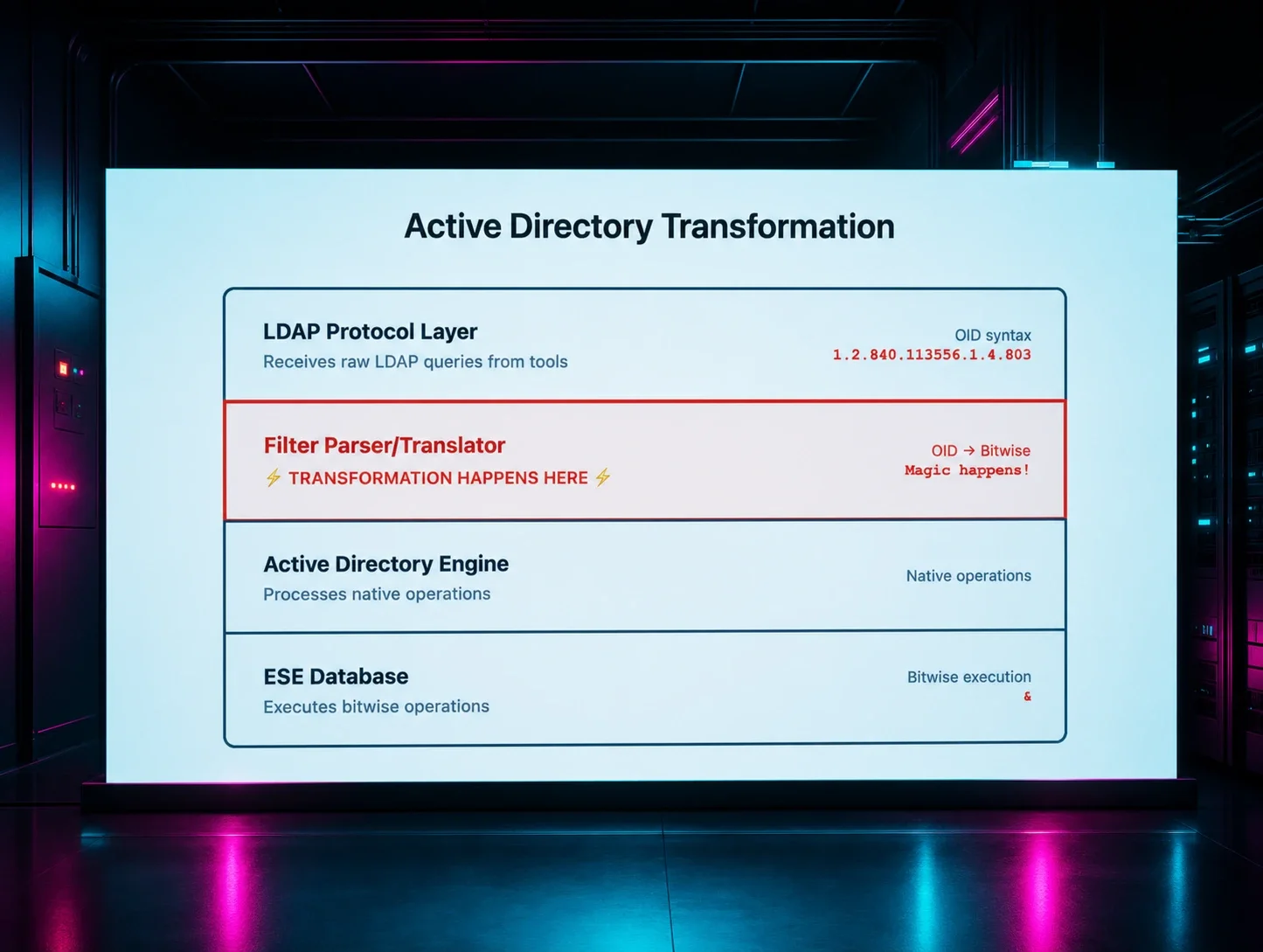
A Huntress detection engineer explains why naive LDAP Sigma rules for Impacket recon tools (GetADUsers.py, GetADComputers.py, GetNPUsers.py, GetUserSPNs.py, findDelegation.py, secretsdump.py) never fire: Active Directory silently transforms LDAP extended-matching-rule OIDs like 1.2.840.113556.1.4.803 into bitwise operators (&) before writing them to Event ID 1644, so rules searching for the OID string in logs get zero hits. The post walks through a source-code-to-telemetry methodology (analyze Impacket source, run tools in a lab, inspect Event 1644/Event 30, then write and validate Sigma rules) and ships working detection logic for each tool, plus notes on correlating server-side Event 1644 with client-side Event 30 (wldap32.dll tools only) for attribution.
What it is
A Huntress detection-engineering post (part one) using Impacket's LDAP recon tools — notably findDelegation.py — as a worked example of building Sigma rules from attacker source code rather than vendor feeds or breach reports. The core lesson: Domain Controllers rewrite LDAP OID filters before logging, so rules that match the source-code filter never fire.
The telemetry you must turn on
The summary names Event 1644 and Event 30/LDAPMon but not how to enable them. Event 1644 is not logged by default. To enable it on Domain Controllers, edit the registry:
- Navigate to
HKEY_LOCAL_MACHINE\SYSTEM\CurrentControlSet\Services\NTDS\Diagnostics - Set the value "15 Field Engineering" to
5
Event 1644 then appears under Applications and Services Logs → Directory Service.
Client-side Event ID 30 lives under Applications and Services Logs → Microsoft-Windows-LDAP-Client/Debug. To see it: in Event Viewer, View → Show Analytic and Debug Logs, then right-click Debug under Microsoft-Windows-LDAP-Client and Enable Log. Alternatives are ETW tracing or Jonathan Johnson's LDAPMon (the author's preference). Note this logs on the client/endpoint, not the DC, so it must be enabled per-monitored host.
Why both perspectives: the DC log shows what was recorded; the client log shows who queried, from where, and with what process.
The transformation to match on
findDelegation.py sends (userAccountControl:1.2.840.113556.1.4.803:=16777216), but Event 1644 records (userAccountControl & 16777216) — the OID :1.2.840.113556.1.4.803:= collapses to &. Write Sigma rules against the bitwise form, never the OID string.
Validation criterion
Beyond the six-step process, the page gives a concrete tuning bar for Step 5: the rule should fire on a known-good tool replay in the lab and stay quiet across one full business day of normal traffic. Noise at that point means you've matched legitimate LDAP behavior, not the attack.
flowchart TD
    A[Impacket filter in source<br/>userAccountControl:OID:=16777216] --> B{Match logs against<br/>source code?}
    B -->|OID string| C[Rule validates but<br/>NEVER fires]
    B -->|bitwise form from Event 1644| D[Rule fires on replay]
    D --> E{Quiet over 1 business day?}
    E -->|yes| F[Ship rule]
    E -->|no| G[Caught legit LDAP,<br/>tune down]
Caveats
This is part one; Step 6 (Attribution Enhancement) is cut off in the fetched text, so the correlation/attribution guidance is incomplete here. The registry and log-enablement changes increase logging volume on DCs and endpoints — plan for that before enabling broadly.
Organisations named here
- 1.2.840.113556.1.4.803
- Event 1644
- Event 30
- MS-ADTS
Technologies named here
- Impacket
- Active Directory
- findDelegation.py
- Windows domain controllers
- GetADUsers.py
- Windows LDAP Client
- secretsdump.py
- GetNPUsers.py
- GetUserSPNs.py
- GetADComputers.py
- Rubeus
- PowerShell ActiveDirectory module
- LDAPMon
- Wireshark
- Sigma
- ldapsearch
- BloodHound
- Windows
- LDAP
Techniques named here
- LDAP reconnaissance
- OID-to-bitwise filter obfuscation
- Delegation reconnaissance
- AS-REP Roasting
- Kerberoasting preparation
- User enumeration for phishing/target lists
- Computer enumeration
- DCSync attack preparation
- Kerberoasting
Related in Blue Team & Detection
 huntress.comwriteup
AI-Coded Malware | Analyzing Vibe-Coded AD Enumeration | Huntress

 blog.talosintelligence.comtool
Introducing CAIRN: Frontier tracking for AI-integrated malware (Cisco Talos)
 huntress.comwriteup
Inside an Oracle Database SQL Injection Attack | Huntress
 huntress.comwriteup