 huntress.comwriteup
ConnectWise (SkyKick) Vendor Credentials Abused in M365 Attacks
Huntress documents abuse of ConnectWise Cloud Backup (formerly SkyKick) vendor app credentials, used on October 15 from 144.172.64[.]128 to obtain Microsoft Graph tokens in at least 162 customer M365 tenants via client assertion. In one tenant, a ConnectWise Cloud Management Teams app self-assigned Global Administrator and added client secrets to an MSP management app and Huntress's own app, a persistence technique. The post lists application IDs, Entra sign-in and audit-log checks, user-agent indicators (kiota-dotnet vs Python-urllib/3.12, curl/7.88.1), and mitigation steps such as disabling (not deleting) the enterprise apps and reviewing added credentials.
What it is
Huntress reports that the credential for ConnectWise Cloud Backup (formerly SkyKick), application ID 506e08f9-6e9a-4da4-942b-a099a03644ae, is in attacker hands. On October 15 the credential was used from 144.172.64[.]128 (a hosting provider) to obtain Microsoft Graph tokens. As of 19:00 UTC on October 16, Huntress had confirmed unauthorized sign-ins in 162 tenants. The credential type was a client assertion, so the secret lives in the vendor's tenant and nothing a customer did could have produced it.
How it works
- The actor walked tenants in sorted GUID order a few seconds apart, between 06:13 and 08:34 UTC, which suggests a script working from a target list.
- Tokens carry the app's existing permissions: mail, OneDrive, SharePoint, Teams and directory data, with write access where restore needs it. They are app-only, so there is no user, device or MFA step.
- Separate activity in one tenant (03:44–03:49 UTC, about 2.5 hours before the IP sign-ins):
- The ConnectWise Cloud Management Teams app (
24205314-2b89-4e07-a2a4-579e898a5640) added itself to Global Administrator. - A Python script (
Python-urllib/3.12) then added client secrets, set to expire in 2028, to an MSP management app and to Huntress's own app. A certificate add failed on a thumbprint mismatch. - Huntress has not tied this phase to the same operator.
- From 01:58 UTC, in about 50 monitored tenants, ConnectWise Cloud Management service principals assigned themselves directory roles, mostly Exchange Administrator. The user agent was
kiota-dotnet, which suggests vendor automation, but ConnectWise has not confirmed this. - Earlier, October 13–14, the same IP password-sprayed four law-firm tenants using
curl/7.88.1. Two accounts were locked out and no user sign-ins succeeded.
Preconditions / Affected
Any tenant with the ConnectWise or SkyKick apps consented. The credential works against all of them, so the 162 confirmed tenants are a floor, not a ceiling. Huntress cannot check tenants that lack the necessary Entra licensing.
What to do
- In Entra admin center, go to Enterprise applications and find
506e08f9-6e9a-4da4-942b-a099a03644ae(or search "SkyKick" or "ConnectWise Cloud Backup"). - In Properties, set "Enabled for users to sign-in" to No. Do not delete it: that removes consent and forces re-consent. Disabling pauses backups but keeps existing backups, mail and sign-ins working.
- Disable the other ConnectWise and SkyKick apps you cannot verify (Cloud Management apps may appear as "SkyKick Cloud Manager"): - Cloud Management:
2399d300-6fca-4e6a-a686-399fefe75b83- Exchange Online:b78f6a77-d4e5-46fb-87e5-d1648bd02519- MS Graph:0de14c77-b9b0-4137-9360-34878a929827- Partner Center:412dcf96-176d-4b3a-a1b0-4981ad66971e- SharePoint Online:b2b55f5b-7758-4719-8d8f-88ae172e6bdb - Review directory roles held by these apps (especially Global Administrator or Privileged Authentication Administrator). After disabling, remove any role you did not grant.
- Review client secrets and certificates on all enterprise apps and app registrations, prioritizing management and security tools. Remove any added since October 13 that you did not create. Include the Huntress Security Platform app if you use Huntress.
- Check sign-ins: Monitoring > Sign-in logs > Service principal sign-ins tab (not the default User tab), filtered by the app ID. Flag any IP outside Microsoft/Azure ranges and search for
144.172.64[.]128. Normal egress is Azure private IPv6. - Check the audit log for
Add member to role,Update applicationandAdd service principal credentials. A service principal adding itself to a role or modifying other apps is the signal. Judge it by actor, operation and user agent together, since Python and curl are common in ordinary administration. - Review Conditional Access exclusions for these apps, because an excluded app will not be blocked by location policies.
- Do not re-enable until ConnectWise confirms all credentials have been reset.
Hardening the page lists: application management policies restricting client secrets and credential lifetimes, fewer Application Administrator and Cloud Application Administrator holders, Conditional Access for workload identities (extra licensing), and Entra ID Protection risky service principal flags.
Caveats
- A clean sign-in log does not rule out access, and Huntress advises disabling regardless.
- App-only audit events carry no source IP, and the log does not record the details of an added credential or Graph reads. Confirming what was added requires the Entra audit log or a Graph query.
- No mail or file access appeared in the one audit log reviewed in detail, but directory reads leave no trace, so data theft is not ruled out.
- Huntress cannot verify that the remaining ConnectWise apps are secure.
- Rotating the vendor credential is not enough if the actor planted secrets or roles elsewhere.
- The page says MSP lateral movement into customer tenants has not been observed.
Organisations named here
- 144.172.64.128
- Global Administrator
- kiota-dotnet
- SkyKick
- T1078.004
- T1098.001
- T1098.003
- Todyl
Technologies named here
- MITRE ATT&CK - technique mapping
- Huntress Security Platform application
- Attacker tooling observed
- An MSP management application
- Microsoft 365
- Microsoft Entra ID
- Huntress
- OAuth
- ConnectWise
Techniques named here
- T1078.004 Valid Accounts
- T1098.001 Account Manipulation
- Password spraying
Related in Threat Intel
 huntress.comwriteup
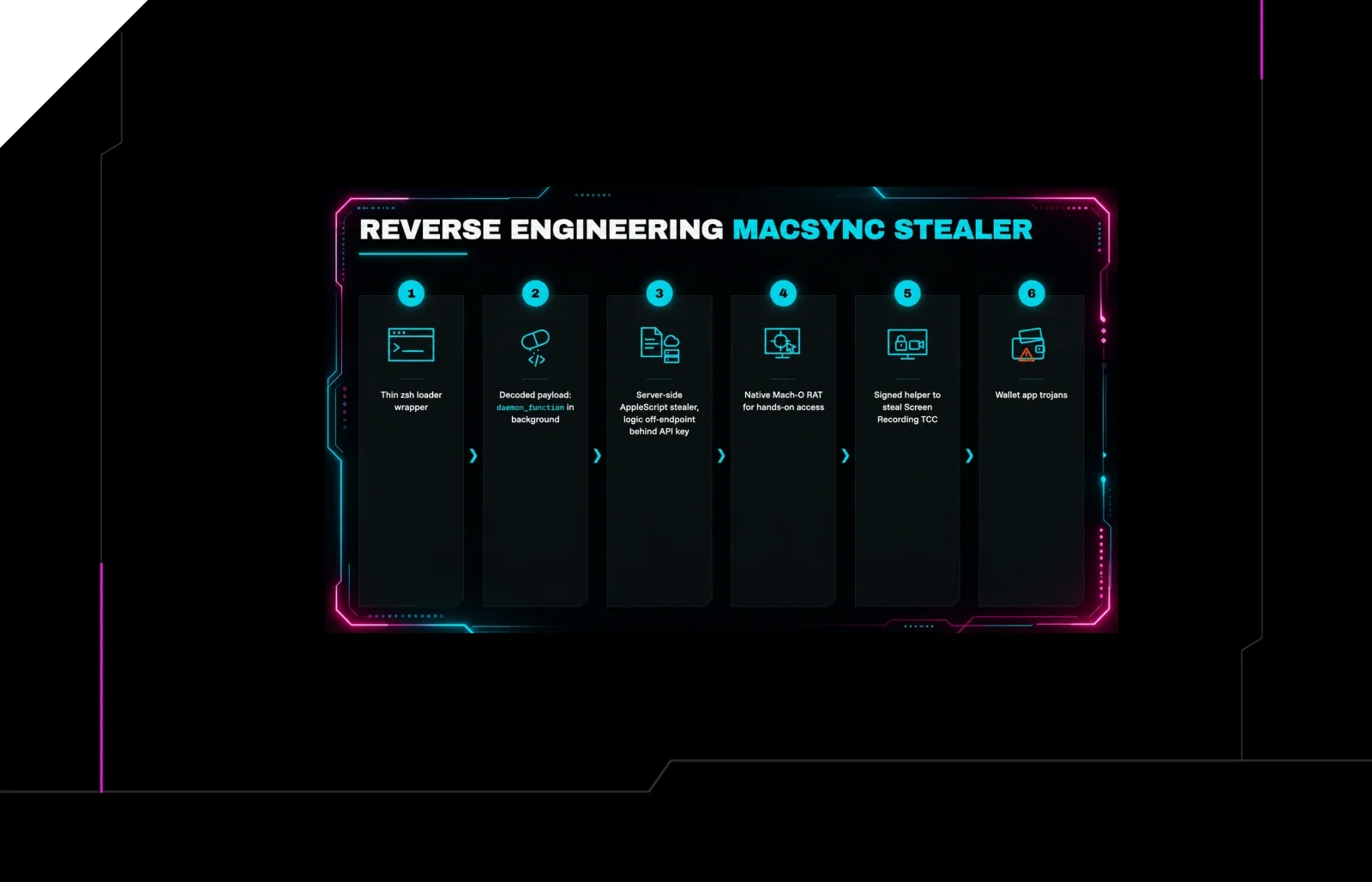
Reverse Engineering the Six Stages of MacSync Stealer and RAT
 huntress.comwriteup
AI-Coded Malware | Analyzing Vibe-Coded AD Enumeration | Huntress

 blog.talosintelligence.comtool
Introducing CAIRN: Frontier tracking for AI-integrated malware (Cisco Talos)
 huntress.comwriteup