 github.blogarticle
GitHub Secret Scanning MCP Server
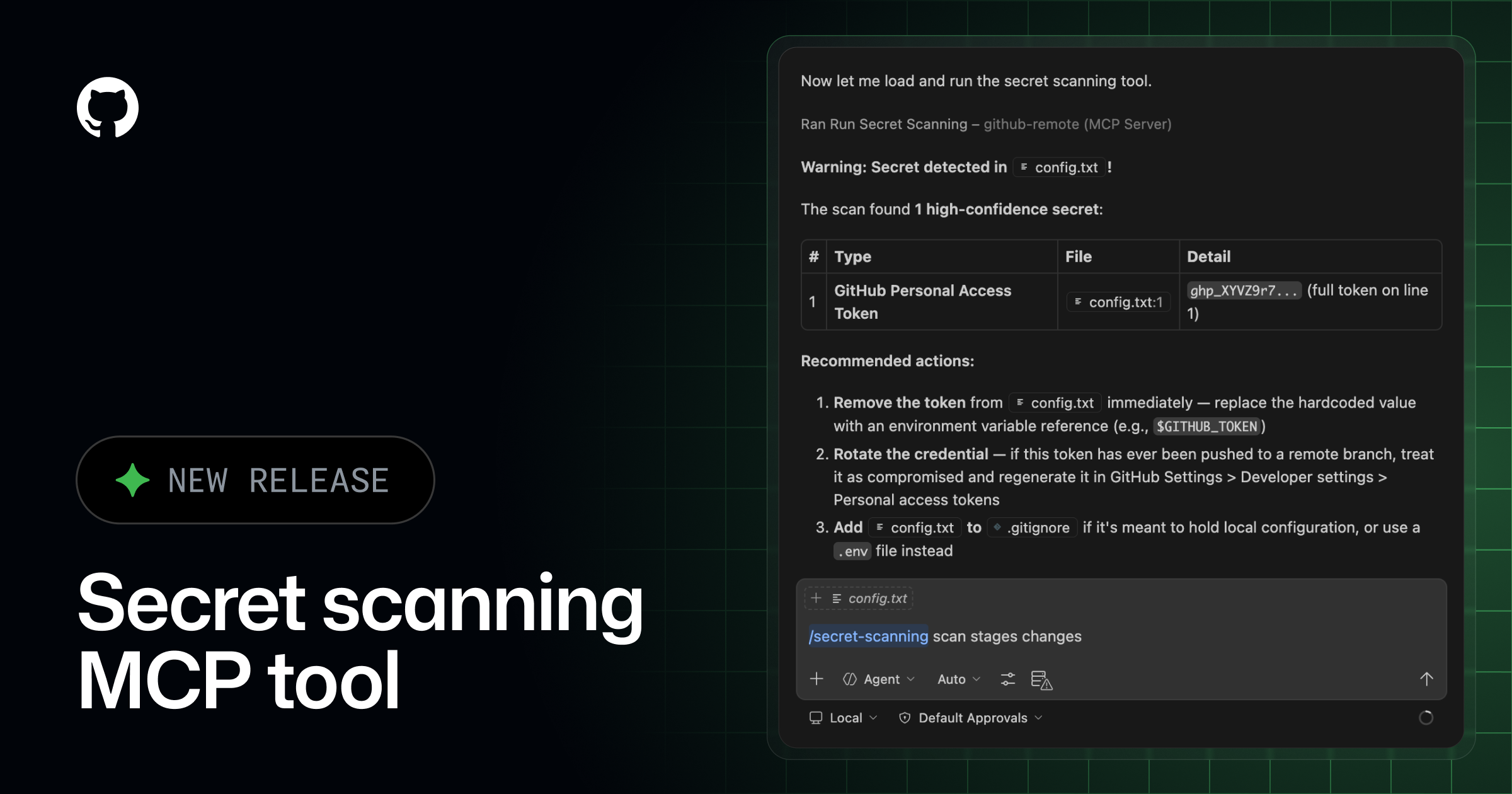
GitHub announced general availability of secret scanning as a tool inside the GitHub MCP server, letting MCP-compatible AI coding agents such as GitHub Copilot CLI and VS Code scan uncommitted changes for exposed credentials before a commit or PR is opened. The GA release adds enforcement of existing push-protection customizations so detection and bypass behavior configured at the repo or org level stays consistent when triggered through an agent instead of a normal git push. Requires GitHub Secret Protection enabled on the repo; an optional Advanced Security plugin adds a tailored secret-scanning workflow in Copilot Chat.
What it is
Secret scanning as a tool in the GitHub MCP server, generally available since this changelog (dated 2026-05-05 in the URL), after public preview since March 2026. An MCP-compatible agent (GitHub Copilot CLI, VS Code) scans uncommitted changes for exposed secrets before a commit or PR. The summary covers the "what" — what it omits are the exact commands to enable and invoke it.
What to do
Set up the GitHub MCP server in your dev environment first. Then, for the optional GitHub Advanced Security plugin that gives a more tailored experience:
In GitHub Copilot CLI:
/plugin install advanced-security@copilot-pluginsIn VS Code: install the advanced-security agent plugin, then begin a Copilot Chat prompt with:
/secret-scanningTo run a scan, prompt the agent directly. The page's example:
Scan my current changes for exposed secrets and show me the files and lines I should update before I commit.Preconditions
Repository must have GitHub Secret Protection enabled. The Advanced Security plugin is optional; the base MCP secret-scanning tool works without it.
Caveats
The page states no metrics, no coverage detail on which secret types are detected, and no behavior for the non-plugin path beyond the natural-language prompt. The one substantive GA change over preview — push-protection customizations now being honored through the agent path — is already in the catalog summary; the install/invoke commands above are the only detail it lacks.
Technologies named here
- GitHub MCP Server
- repositories with GitHub Secret Protection enabled
- GitHub secret scanning
- GitHub Copilot CLI
- Visual Studio Code
- GitHub Advanced Security plugin
- GitHub push protection
- GitHub
- Model Context Protocol
- VS Code
- GitHub Advanced Security
- GitHub Copilot
Related in DevSecOps

 jfrog.comarticle
JFrog: The Governance Gap Between Your Policy and Your Pipeline
 stepsecurity.ioarticle
Dev Machine Guard Now Supports Windows - StepSecurity
 socket.devwriteup
Socket: TanStack npm Packages Compromised
 securitylab.github.comadvisory