 huntress.comwriteup
Phishing Campaign Abuses Microsoft Power BI to Deploy Rogue RMMs
Huntress details a phishing campaign that abuses legitimate Microsoft Power BI dashboards (app.powerbi.com) to host a fake "Download Reference" lure that bypasses mail filters trusting the Microsoft domain. Clicking the lure triggers browser/environment fingerprinting and Telegram-bot-based victim telemetry exfiltration via attacker domains (dailylifeproject.site, burnsworth.site, etc.), then silently downloads rogue ScreenConnect installers; a chained CMD/PowerShell script (SCAutoFix.ps1) deploys a second ScreenConnect instance, uninstalls the first for evasion, drops the defense-evasion tool HideUL_x64.exe, and sets a recurring scheduled task before Huntress's SOC intervened.
What it is
Huntress's writeup of a ScreenConnect-deploying phishing campaign that abuses Microsoft Power BI (app.powerbi.com) dashboards as the initial lure, first observed September 10. A retroactive threat hunt found that one of the rogue ScreenConnect client configurations used in this campaign had also been seen on 22 other endpoints across separate incidents, indicating broader reuse of the same attacker infrastructure.
How it works
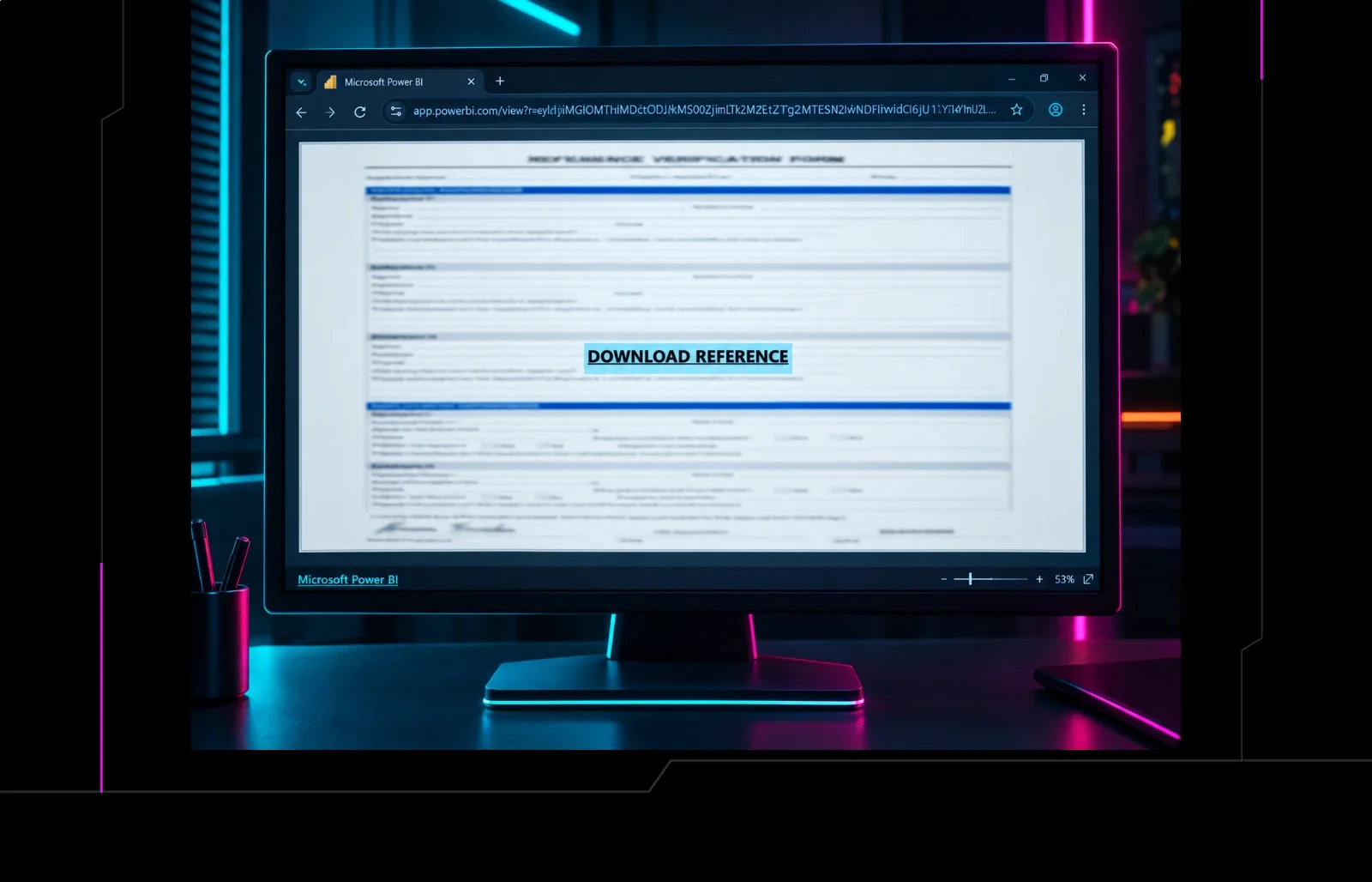
Attackers create a dashboard on a throwaway/compromised Power BI account, embed a malicious link, set sharing to public, and send it via email — the link survives mail filters because it resolves to the trusted app.powerbi.com domain. The dashboard shows a blurred form with a "Download Reference" button; clicking opens a new tab to an attacker domain that fingerprints the browser/environment and checks for automation or scanner indicators (failing checks redirects to check.vykyn[.]click/E/). After a delay, the page programmatically clicks a hidden link to auto-trigger download of ScreenConnect.ClientSetup.exe, fetched from a specific ScreenConnect tenant path (hamham27.screenconnect.com) where only the t guest-access token varies per campaign/lure (observed values: ILEAYEASAN, PERFECTO, PAPASUPE).
The first rogue ScreenConnect client (ID 2b302081e9e777d0, relay instance-g01s1n-relay.screenconnect.com) installs and then pulls a second ScreenConnect client (ID 43773b3da4ccb17b, via onthegotree[.]site). In one traced incident, the first client ran a CMD file (LyN03DvVjUKPrun.cmd) that dropped a PowerShell script (SCAutoFix.ps1) from temp; this script downloaded the second ScreenConnect MSI, uninstalled the first client to reduce detection footprint, and created a scheduled task (SCAutoRepairEvery2Min) re-running the script every two minutes — maintaining persistence even if one RMM is removed.
flowchart TD
    A[Phishing email] --> B[app.powerbi.com dashboard - trusted domain]
    B --> C[Download Reference click]
    C --> D{Fingerprint check passes?}
    D -- No --> E[Redirect to check.vykyn.click]
    D -- Yes --> F[Auto-download ScreenConnect installer #1]
    F --> G[SCAutoFix.ps1 via CMD]
    G --> H[Install ScreenConnect #2]
    G --> I[Uninstall ScreenConnect #1 - evasion]
    G --> J[Scheduled task re-runs every 2 min]
    H --> K[HideUL_x64.exe defense evasion]
Preconditions / Affected
No specific software version is implicated — this targets Windows desktop endpoints reachable via email, exploiting trust in the Power BI domain rather than a vulnerability. The burnsworth[.]site variant specifically restricts/filters by device type (Windows desktop only) and by ISP (blocking Microsoft/unknown ISPs), which is itself a detection-evasion signal.
What to do
Huntress recommends reviewing phishing protection and user-reporting workflows specifically for links on trusted cloud services that lead to downloads. For detection/response: monitor for unexpected ScreenConnect installations, connections to unapproved ScreenConnect instances/tenants, and creation of scheduled tasks or scripts tied to RMM tools. Restrict remote management software to approved instances, and investigate any endpoint found running multiple RMM clients simultaneously.
Caveats
Huntress could not obtain the initial phishing email/lure itself. The SCAutoFix.ps1/scheduled-task chain and the 22-endpoint reuse of the ScreenConnect configuration were observed in specific traced incidents, not confirmed as universal across every campaign variant listed.
Organisations named here
- SCAutoFix.ps1
- SCAutoRepairEvery2Min
Technologies named here
- ScreenConnect
- Microsoft Power BI
- Telegram Bot API
- Microsoft Outlook
- HideUL_x64.exe
- Windows desktop systems
- PowerShell
- Windows Scheduled Tasks
- Power BI
- Telegram
- Microsoft 365
- Windows
Techniques named here
- Phishing via trusted cloud domain abuse
- Browser/environment fingerprinting and anti-analysis
- Delayed automatic download / hidden link auto-click
- Social engineering via fake success notification
- Multiple RMM deployment for redundant persistence
- Uninstallation of initial payload for evasion
- Scheduled task for persistence/execution
- Guest-access token parameterization
Threat actors named here
- Unnamed threat actors
Related in Threat Intel
 huntress.comwriteup
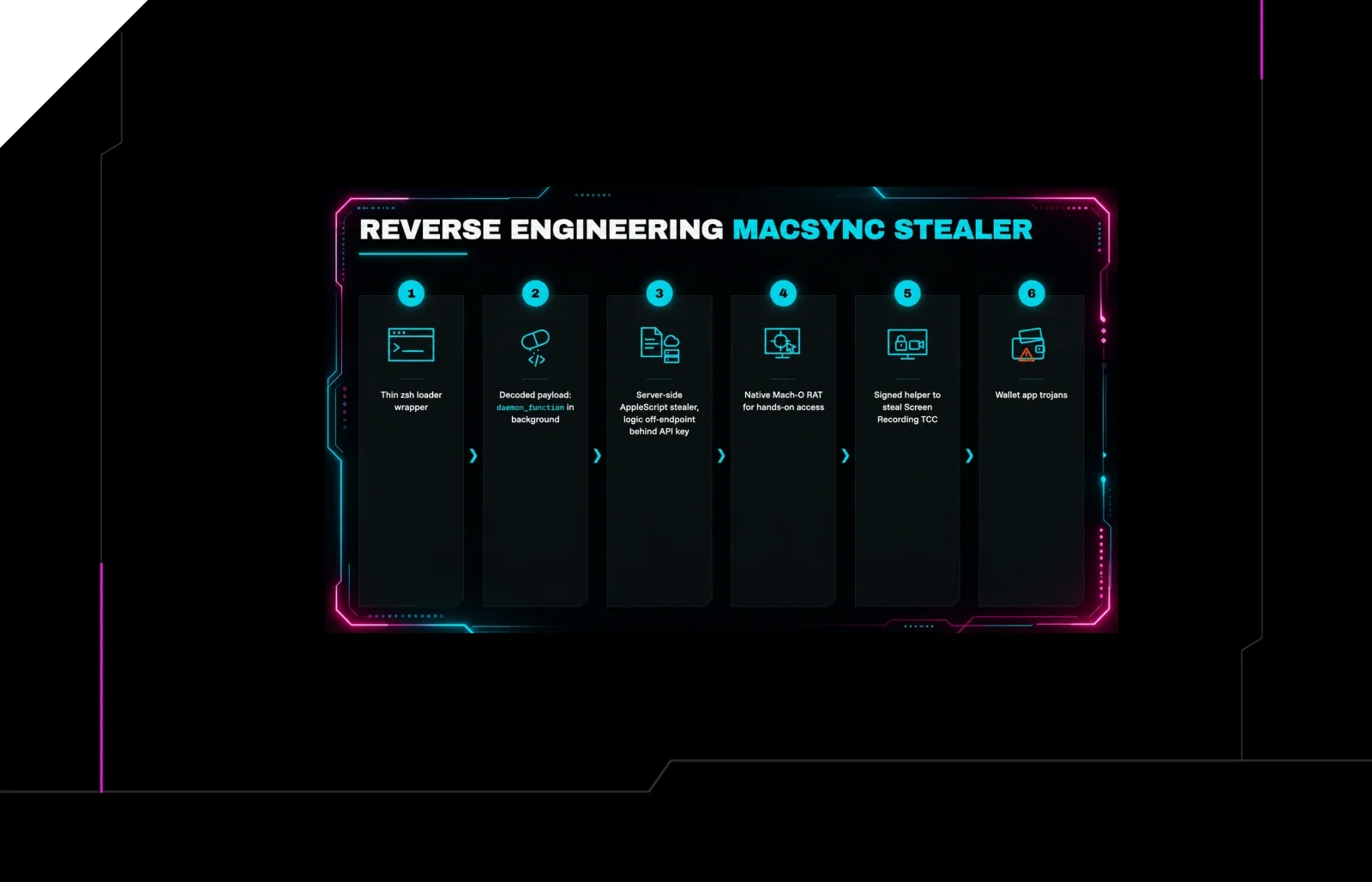
Reverse Engineering the Six Stages of MacSync Stealer and RAT
 huntress.comwriteup
AI-Coded Malware | Analyzing Vibe-Coded AD Enumeration | Huntress

 blog.talosintelligence.comtool
Introducing CAIRN: Frontier tracking for AI-integrated malware (Cisco Talos)
 huntress.comwriteup