 stepsecurity.ioarticle
StepSecurity Now Inventories AI Agent Skills in Your GitHub Repositories and on Developer Machines
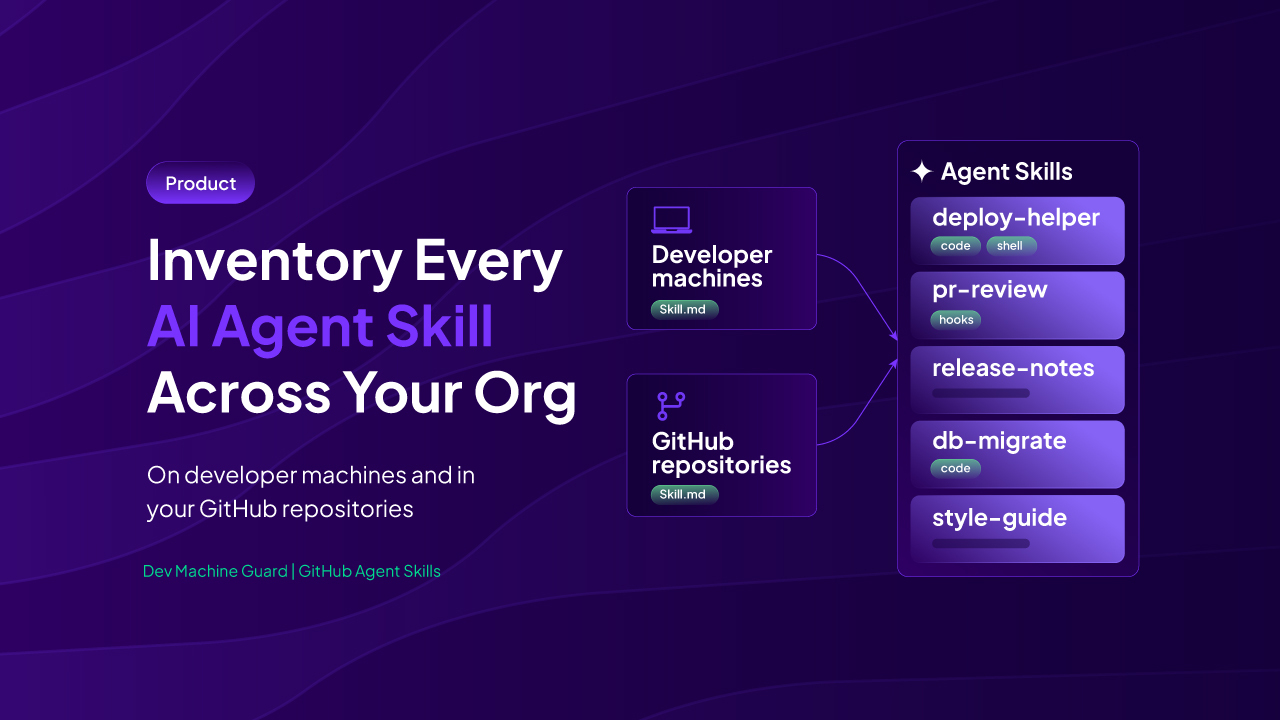
StepSecurity announces two new inventory features — Dev Machine Guard's Agent Skills page (scanning 18 AI coding agents' skill directories on developer machines) and a GitHub Agent Skills page (scanning default branches of org repos daily) — to track AI agent "skills" (SKILL.md folders with optional scripts/hooks) across an organization. The post frames skills as a supply-chain surface because they can execute shell commands, pre-approve tool permissions via allowed-tools frontmatter (bypassing Claude Code's workspace trust gate), and look like harmless Markdown documentation in PR review, citing the Miasma worm, s1ngularity, and the Cline v2.3.0 compromise as precedent for this attack class. It details inventory features like content-hash comparison across devices, provenance tracing via skills.sh/skills-lock.json, and filters for shell/hooks/code execution flags to prioritize review.
What it is
StepSecurity's two new inventory views — Dev Machine Guard's Agent Skills page and GitHub's Agent Skills page — for tracking AI agent "skill" folders (SKILL.md plus optional scripts/hooks) across developer machines and committed repositories.
How it works
Dev Machine Guard scans specific locations per device: the shared ~/.agents/skills directory, agent-specific dirs like ~/.claude/skills, project-level skill folders, the skills.sh-managed lock file, skills bundled with installed Claude Code/Codex plugins, and standalone Claude Code commands. It resolves symlinked installs (skills installed once in the shared dir but symlinked into agent-specific dirs) back to a single counted install, and groups detected installations by content hash per device/user/agent/scope so differing copies are visible side by side.
The GitHub page scans the default branch of every non-archived org repo once daily, recognizing the same folder set (.claude/skills, .cursor/skills, .windsurf/skills, .agents/skills). It flags frontmatter that fails to parse as "invalid yaml" and flags skills reached via symlink. Both views expose the same code/hooks/shell execution flags plus a command flag (Claude Code only) and use these consistently so a skill flagged in one view is flagged the same way in the other.
A details panel per skill (GitHub view) shows "Declared behavior" — the pre-approved tools in frontmatter (e.g., Read, Write, Bash), invocation restrictions (no model invocation vs. not user invocable), subagent-fork behavior, and model overrides — and "Provenance" for skills.sh-managed skills: upstream source/ref, path within that source, upstream folder hash, and the skills-lock.json entry.
Preconditions / Affected
Coverage spans 18 AI coding agents (Claude Code, Codex, GitHub Copilot, OpenCode, Cursor, Gemini CLI, Kiro, Windsurf, Antigravity, OpenClaw). GitHub Enterprise Server is explicitly not supported — only GitHub.com org repos. Usage counts are only available where Claude Code has recorded skill invocations.
What to do
The page lays out a specific review order:
- Filter by Shell execution, then Has hooks, then Has code in either view — shell injections can run at skill-load time in Claude Code.
- On the GitHub page, open each flagged skill and inspect Allowed tools; treat a skill pre-approving
Bashwith the same scrutiny as a CI/CD workflow change. - Fix skills marked invalid yaml so frontmatter is parsed as intended.
- For
skills.sh-managed skills, confirm the upstream source and ref match expectations, in both views. - In Dev Machine Guard, compare variants of any skill with more than one content hash, and filter by Local source to surface skills with no managed origin (no registry/lock file).
- For a risky repository skill, search Dev Machine Guard to see which devices already have it installed — tracing spread before removal.
Export: full inventory available as CSV; notifications can be enabled for new agent skills appearing after a device's baseline (each device alerts independently).
Caveats
Content-hash comparison shows that copies differ, not which is correct — the page states operators must manually compare variants. "Local" skills have no upstream record at all, so matching is limited to cross-device hash comparison with no way to verify origin.
Technologies named here
Techniques named here
- Skill-embedded shell command execution on load
- Tool pre-approval via allowed-tools frontmatter
- Masquerading skill as documentation
- Supply chain distribution via repository commit
- AI CLI tools turned into reconnaissance/exfiltration agents
Threat actors named here
- Miasma worm
- s1ngularity attack on Nx
- Cline v2.3.0 compromise
- s1ngularity
Related in Supply Chain